Why Text Formatting Breaks When Written Content Becomes Audio
Blogger: Adam.W
Published 2026.5.21
Contents
- The better question is, "Will this still make sense when the listener cannot see it?" Formatting Works Because Readers Can See the Page
- Footnotes Are Helpful on the Page, Awkward in Audio
- Superscripts and Symbols Lose Context When Spoken
- Headings Need to Become Listening Landmarks
- Links Usually Should Not Be Read Directly
- Tables Need Interpretation, Not Literal Reading
- Captions and Visual References Need Context
- Written Precision Can Become Spoken Friction
- Before Narration, Test a Short Sample
- A Practical Cleanup Pass Before Audio
- Preserve Meaning, Not Formatting
- Final Thoughts
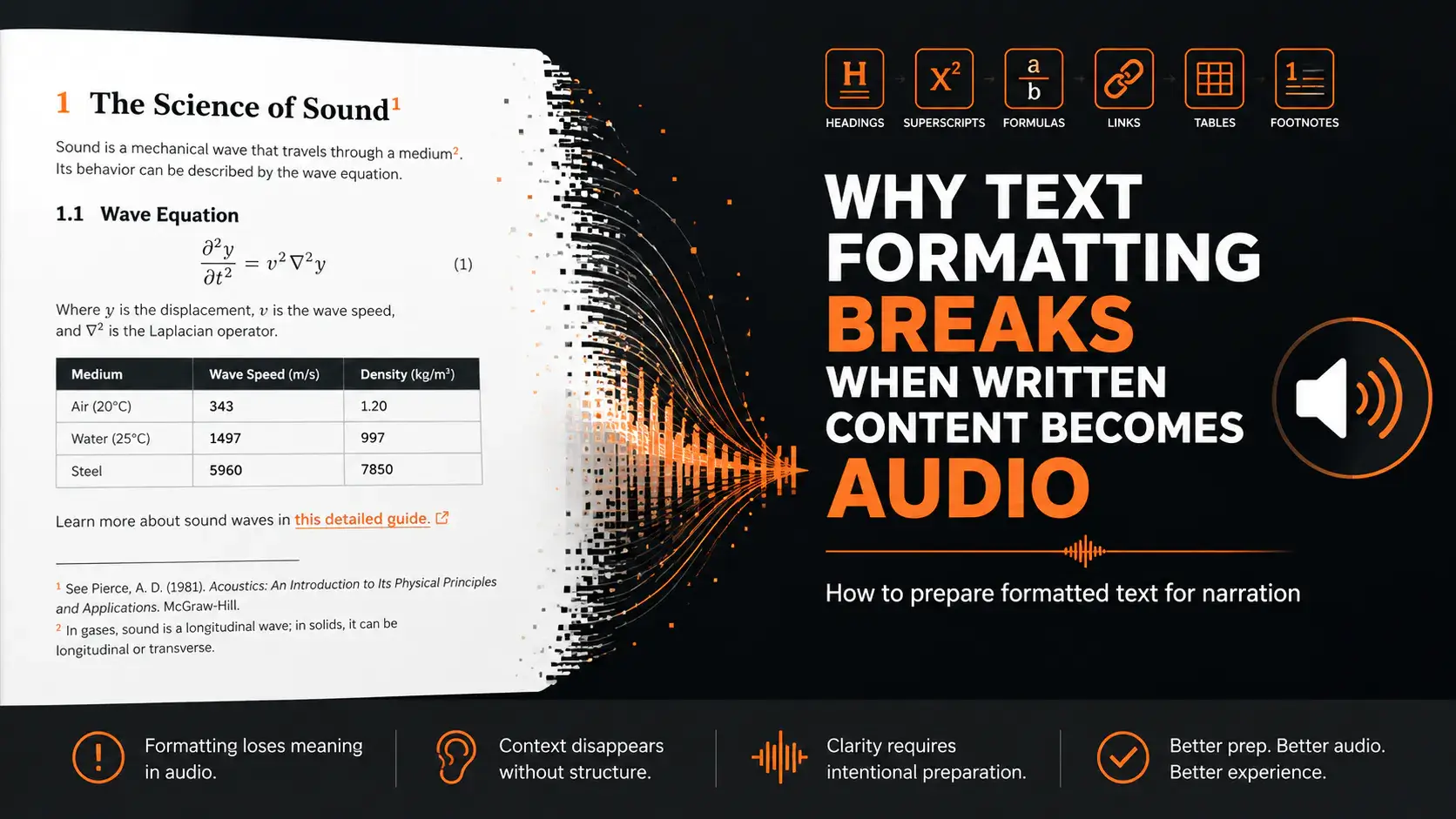
Written content carries more meaning than words alone.
A heading tells the reader a new section has started. A superscript number points to a footnote. A table separates information into rows and columns. A link gives the reader somewhere to go next. A formula uses symbols and spacing to show relationships that would be awkward to explain in a sentence.
On the page, all of this feels natural. Readers can scan, pause, skip, reread, or look at the surrounding layout to understand what something means.
Audio removes that page.
Once written content becomes narration, every visible structure has to survive as sound. Some formatting translates well. Some needs to be rewritten. Some should be removed entirely. If you ignore that step, the audio may still be technically accurate, but it will not feel natural to listen to.
That is why turning written content into audio is not just a text-to-speech problem. It is a formatting problem.
The question is not only, "Can this text be read aloud?"
The better question is, "Will this still make sense when the listener cannot see it?" Formatting Works Because Readers Can See the Page
Most formatting is designed for visual control.
A reader can see the difference between a title and a paragraph. They can recognize a footnote marker without stopping the sentence. They can skip over a citation, glance at a table, open a link, or ignore a repeated page header.
That freedom disappears in audio.
A listener receives content in sequence. One word after another. One sentence after another. They cannot easily scan ahead. They cannot see that a small superscript number is only a reference marker. They cannot instantly understand that a line was meant to be a caption, a table heading, or a side note.
This is why formatted text often breaks when it becomes spoken content.
The problem is not that formatting is bad. Formatting is useful. It helps written content become clearer, more precise, and easier to navigate. But formatting depends on the reader's ability to see the page.
Audio needs a different kind of structure.
A good audio version does not preserve every visual element exactly as it appears. It preserves the meaning in a way the listener can follow.
That distinction matters.
Footnotes Are Helpful on the Page, Awkward in Audio
Footnotes are one of the clearest examples.
On the page, a footnote is elegant. It lets the main sentence continue while giving the reader extra information, a citation, a source, or a clarification. The reader can decide whether to follow it.
In audio, the listener does not get that choice.
If the narration reads a footnote marker in the middle of a sentence, the flow breaks.
If it immediately reads the footnote content, the listener is pulled away from the main idea. If it skips the footnote entirely, important context may be lost.
None of these decisions are automatic.
Imagine this sentence in a written article:
The method became popular in the late nineteenth century1, especially among editors working with academic manuscripts.
On the page, the superscript marker is small. It does not interrupt much. In audio, if the narration says "one" or "footnote one" in the middle of the sentence, the listening experience becomes awkward.
The issue becomes even more obvious in academic writing, legal writing, research summaries, and long essays. Footnotes can be essential for credibility, but they rarely belong inside the main audio stream exactly as written.
A better approach is to decide what the footnote is doing.
If it is a source citation, it may belong in show notes, an appendix, or the written version. If it explains something important, the explanation may need to be moved into the main sentence. If it is optional background, it may be summarized or removed from the spoken version.
Tools like a Superscript Generator are useful when preparing clean written formatting for the web, academic content, documentation, or technical writing. But when that same content moves into audio, the formatting decision changes. A superscript that works visually may need to become a spoken phrase, a rewritten sentence, or a removed reference.
Good narration does not blindly read the footnote system. It translates the purpose of the footnote for the listener.
Superscripts and Symbols Lose Context When Spoken
Superscripts are not only used for footnotes.
They appear in math, chemistry, units, citations, ordinals, trademarks, references, and technical notation. On the page, a superscript can be small but meaningful. In audio, that meaning has to be expressed differently.
Consider:
x²
E = mc²
10⁶
1st
H₂O
Reference[3]
A reader can see the notation immediately. A listener needs the notation converted into language.
"x squared" is clear.
"E equals m c squared" is clear.
"Ten to the sixth power" is clear.
"First" is clear.
"Water" may be better than spelling out the formula, depending on context.
"Reference three" may or may not be useful in audio. The challenge is that there is no single rule for every symbol.
A chemistry lesson may need formulas spoken precisely. A general article may not. A math tutorial may need "x squared" read aloud. A casual essay may need the notation rewritten into plain language. A citation marker may be essential for a research audience, but distracting for a general listener.
This is where direct text-to-audio conversion often fails. It treats visible symbols as if they can simply be spoken in order.
But symbols are not just characters. They are compressed meaning.
When preparing formatted text for audio, ask what the listener actually needs to hear.
Sometimes the answer is the exact notation. Sometimes it is an explanation. Sometimes it is nothing at all.
Headings Need to Become Listening Landmarks
Headings are easy to understand on the page because they are visual landmarks.
They are larger, bolder, separated by space, or placed in a table of contents. A reader can use them to navigate the structure of the article or chapter.
In audio, headings need to be heard as structure.
If a heading is read in the same tone and rhythm as a normal sentence, the listener may not realize a new section has started. If headings are skipped entirely, the audio may feel like one continuous block. If every heading is read too dramatically, the narration can feel mechanical.
The goal is balance.
A heading should give the listener a moment to reset. It should tell them, "We are moving to a new idea." That can happen through a pause, a slight change in tone, or a rewritten transition.
For example, a written heading might be:
Common Formatting Problems
In audio, you might keep it as a heading. Or you might turn it into a spoken transition:
Let's look at the most common formatting problems.
The second version may sound more natural, especially in educational or explanatory audio.
This matters even more for long-form content. Without audible structure, listeners can lose the thread. They may understand individual sentences but miss how the ideas connect.
Written structure must become listening structure.
Links Usually Should Not Be Read Directly
Links are another example of formatting that works well visually and poorly in audio.
On the page, a link is compact. The reader sees anchor text, clicks if interested, and continues reading. In audio, a raw URL can become painful.
Nobody wants to hear:
h t t p s colon slash slash example dot com slash resources slash guide question mark id equals 47
Even a short URL can interrupt the flow if it is not central to the content.
When written content becomes audio, links usually need one of four treatments.
First, the link can be removed if it is not important for listening.
Second, it can be summarized in speech.
Third, it can be moved to show notes or a written companion page.
Fourth, it can be replaced with a simple instruction, such as "You can find the full guide in the article notes." The right choice depends on the purpose of the content.
A tutorial may need to mention that a resource exists. A podcast-style narration may move links to show notes. An internal training file may include a short spoken instruction. An audiobook version of a blog post may remove most inline links entirely.
The key is not to let visual navigation become spoken clutter.
Tables Need Interpretation, Not Literal Reading
Tables are useful because they let readers compare information quickly.
Rows and columns create relationships. The eye can move horizontally and vertically. The reader can skip what they do not need.
Audio cannot preserve that experience directly.
If a table is read cell by cell, it often becomes confusing. The listener has to remember column names, row labels, and values without seeing the layout. For small tables, this may be manageable. For larger tables, it becomes nearly impossible.
A table usually needs interpretation before narration.
Instead of reading every cell, ask:
- What is the table trying to show?
- What pattern matters?
- Which values are important?
- Does the listener need all the data, or only the conclusion?
Should the full table stay in the written version? For example, a written table comparing file formats might include columns for size, quality, compatibility, and best use case. In audio, it may be better to say:
MP3 is usually the easiest format to share. WAV is better for editing but creates much larger files. M4B is more audiobook-specific because it can support chapter-style listening in compatible apps.
That is not a literal reading of the table, but it is a better listening experience.
Audio should communicate the meaning of the table, not force the listener to reconstruct the layout mentally.
Captions and Visual References Need Context
Captions are often written for people who can see the image.
A caption like "Figure 2 shows the final layout" may work in a PDF or article. But if the listener cannot see Figure 2, the sentence becomes weak or meaningless.
This happens often when blog posts, reports, slide decks, technical documents, and ebooks are converted into narration.
Visual references need to be handled carefully.
Sometimes they should be removed. Sometimes they should be rewritten. Sometimes the audio should describe the image. Sometimes the visual should remain in a companion document while the audio focuses on the main explanation.
For example:
As shown in the chart below, adoption increased after the second release.
In audio, that might become:
Adoption increased after the second release, with the largest growth happening in the first month.
The revised version gives the listener the conclusion instead of pointing to a visual they cannot see.
Again, the goal is not to preserve the page exactly. The goal is to preserve understanding.
Written Precision Can Become Spoken Friction
Formatted text often exists because the writer wants precision.
Superscripts, citations, symbols, links, tables, and headings all help organize information. They make written content more accurate and easier to use.
But precision on the page can become friction in audio.
A sentence filled with references may be useful to a researcher and tiring to a listener. A formula may be clear to someone looking at it and confusing when spoken too quickly. A table may be efficient visually and unbearable when read aloud. A repeated heading may help scanning and hurt narration.
This does not mean audio should be less accurate. It means accuracy needs a different form.
The spoken version may need:
- fewer interruptions;
- clearer transitions;
- rewritten references;
- summarized tables;
- spoken explanations of symbols;
- removed visual artifacts;
- better pacing around dense information.
The listener should receive the meaning without being forced to imagine the original page.
That is the real work of adapting formatted text into audio.
Before Narration, Test a Short Sample
The safest way to catch formatting problems is to test a short sample before generating the full audio.
Choose a section that contains real formatting complexity. Do not choose the cleanest paragraph. Choose a passage with headings, footnotes, symbols, links, dense sentences, or a table reference if the full document contains them.
Then listen without looking at the page.
Ask:
- Did any symbol sound strange?
- Did a footnote interrupt the main idea?
- Did a heading sound like a real transition?
- Did a URL or citation break the flow?
- Did a table or visual reference become confusing?
- Did the listener receive the meaning without needing the page?
Before generating the full narration, it is safer to test a short section with a workflow that helps you prepare long-form text for audiobook-style audio, especially if the source includes footnotes, headings, formulas, links, or page artifacts.
A short sample can reveal whether the text is ready to be heard.
If the sample sounds awkward, do not blame the voice immediately. Check the formatting first. The voice may be reading exactly what the page contains. The problem is that the page was never adapted for listening.
A Practical Cleanup Pass Before Audio
Before turning formatted text into audio, do a cleanup pass.
This does not mean removing every piece of formatting. It means deciding what each element should become in the listening version.
Start with headings. Decide whether they should be read as written, rewritten as spoken transitions, or supported with pauses.
Review footnotes and citations. Decide whether they should be spoken, summarized, moved to notes, or removed from the main audio.
Check superscripts and symbols. Decide whether they need a spoken explanation, a plain-language rewrite, or a technical reading.
Review links. Decide whether the URL should be skipped, moved to notes, or described in speech.
Look at tables. Decide whether the table should be summarized instead of read directly.
Check captions and visual references. Decide whether the listener needs a description or only the conclusion.
Remove repeated headers, page numbers, and layout artifacts. These rarely belong in narration.
Finally, listen to a sample.
The cleanup pass does not need to be perfect the first time. The sample will reveal what still feels wrong.
Preserve Meaning, Not Formatting
The biggest mistake is trying to preserve formatting exactly.
That instinct is understandable. Writers and editors spend time making documents clean, precise, and well-structured. It can feel wrong to remove or rewrite elements that were carefully placed.
But audio is a different medium.
A listener does not need the same formatting. They need the same meaning.
If a footnote helps the page but interrupts the audio, change how it is handled. If a superscript symbol is clear visually but confusing when spoken, explain it differently. If a table is efficient on screen but hard to hear, summarize the pattern. If a link is useful in text but awkward aloud, move it to notes.
Good adaptation is not a loss of quality. It is respect for the new medium.
The written version can remain precise. The audio version can be listenable. They do not need to be identical to serve the same reader or listener.
Final Thoughts
Text formatting is powerful because it helps readers navigate the page.
But when written content becomes audio, the page disappears. Footnotes, superscripts, formulas, links, headings, tables, and captions no longer behave the same way. Some need to be spoken differently. Some need to be moved. Some need to be removed. Some need to be rewritten into plain language.
That is why audio preparation is not just about choosing a better voice.
It is about translating visual structure into listening structure.
A good narration workflow starts before the audio is generated. It starts with a question:
What does the listener need to hear, and what only made sense because the reader could see the page?
Once you answer that, the rest becomes clearer.
Clean the formatting. Preserve the meaning. Test a real sample. Then generate the full audio.
Written content does not become good audio by being read exactly as it appears. It becomes good audio when the page is prepared for the ear.